Intro
Stauga – Rethinking the booking experience
Searching online for the right place to stay on your travels can be overwhelming.
Users are often faced with a large number of options, filters, and decisions, making the booking process time consuming and difficult to navigate.
As the number of choices grows, so does the risk of decision fatique, causing users to abonden their search or postpone their booking.
How can better UX lead to better business results?
This project explores how simplifying the booking experience through user centered design can help travellers make faster, more confident decisions while increaing engagement and completed bookings.

Role
UX/UI Designer
Timeline
6 weeks
Tools
Figma
FigJam
Google Forms
Methods
Competitive analysis
Survey
User interviews
Usability testing
Customer journey map
The Challenge
Current problems with the booking experience
Users are expected to compare countless accommodation options, apply multiple filters and make important decisions with little guidance.
As the number of choices increases, so does the cognitive effort required to evaluate them.
This creates uncertainty throughout the booking journey, making it difficult for users to feel confident in their decisions.
As a result, many continue searching, postpone their booking or leave the platform altogether, causing missed bookings for the business.
The goal of this project was therefore not to add more features, but to understand why users hesitate during the booking journey and identify opportunities to reduce uncertainty.
of users compare accommodations on multiple platforms
visited platforms on avarage before booking
drop off rate before completing a booking
Based on survey responses and competitive research
User insights
Industry research and user interviews
To better understand user behaviour and identify common friction points, I combined moderated usability testing, competitive analysis of existing booking platforms, as well as a survey with 15 participants asking about their previous booking experiences.
The goal was to observe and understand what works well, where users experience friction, how they navigate on a booking platform, and what influenced their decisions through the booking journey.
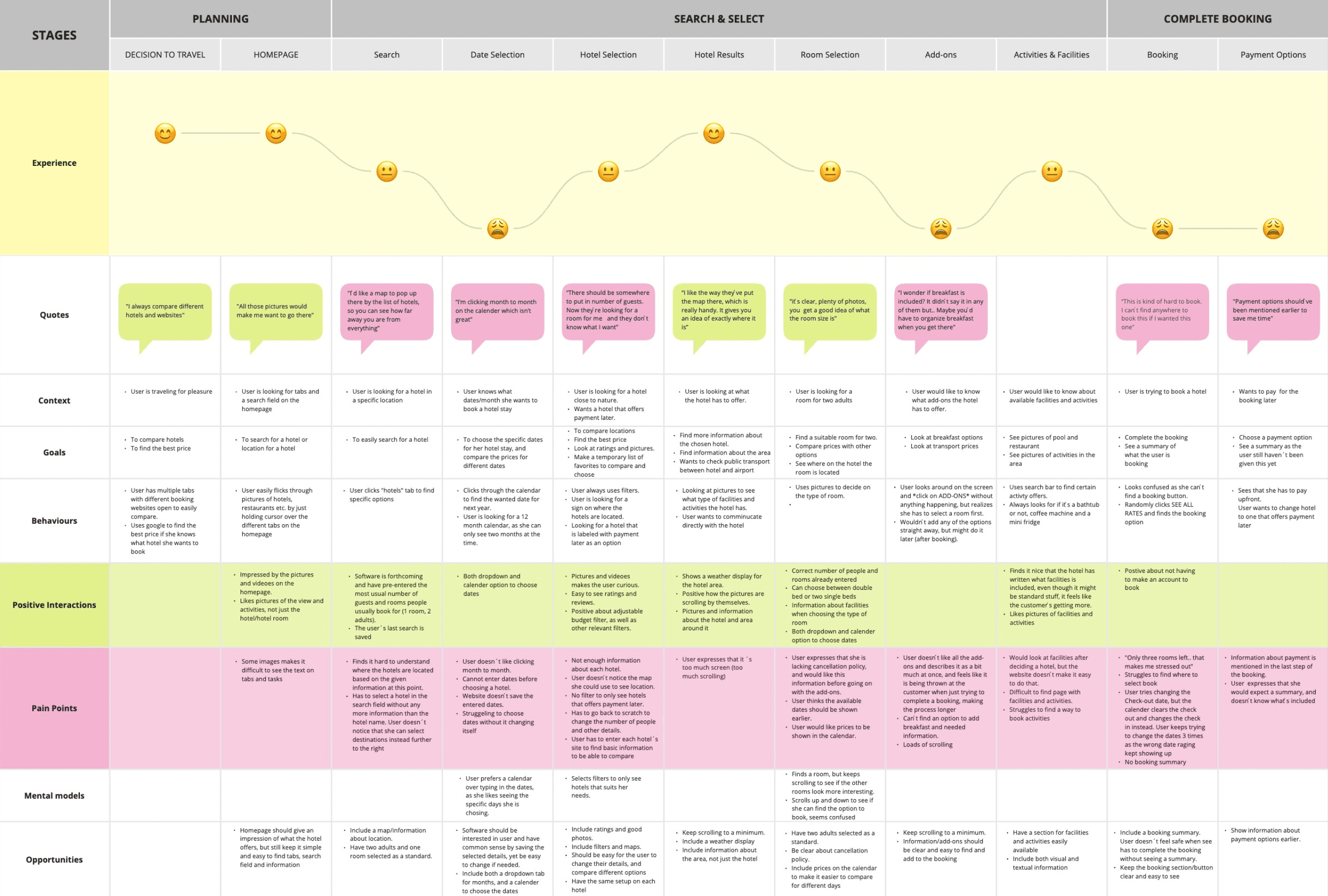
During moderated usability testing, I observed users completing common booking tasks on an existing accommodation platform.
By documenting their actions, thoughts and emotions, I was able to identify moments of uncertainty, frustration and decision making.
These observations were then documented with a customer journey map.
Key Research insights
By analysing user behaviour across interviews, usability testing and survey responses, five recurring insights emerged.
Together, these findings shaped the design direction and informed every key design decision throughout the project.
01.
Users need support to make confident decisions
Users compare multiple accommodations across different platforms before booking. The large amount of information and choice makes the decision process mentally demanding, often leading to uncertainty and delayed decisions.
→ Design implication
Reduce cognitive load by simplifying comparisons and highlighting the most relevant information.
02.
Trust and transparency influence booking decisions
Users are more likely to complete a booking when essential information is easy to find. Clear pricing, cancellation policies and accommodation details help users feel confident throughout the booking journey.
→ Design implication
Prioritise transparency and surface important information early in the user journey.
03.
Simplicity improves the booking experience
Users consistently preferred clean interfaces with fewer distractions. Too many filters, advertisements or competing visual elements made it harder to focus on the booking task.
→ Design implication
Create a calm, intuitive interface with a clear visual hierarchy that guides users through the experience.
04.
Users rely on both visual and textual information
Images play a key role in attracting users and creating first impressions, but visual content alone is not enough. Users also need clear, well-structured information to confidently evaluate accommodation options.
→ Design implication
Balance inspiring visuals with clear, scannable content.
05.
Efficiency is key throughout the booking journey
Users value features that reduce effort, such as intuitive filters, easy date selection, location maps and the ability to compare or save favourite accommodations.
→ Design implication
Streamline common tasks and minimise unnecessary interactions.
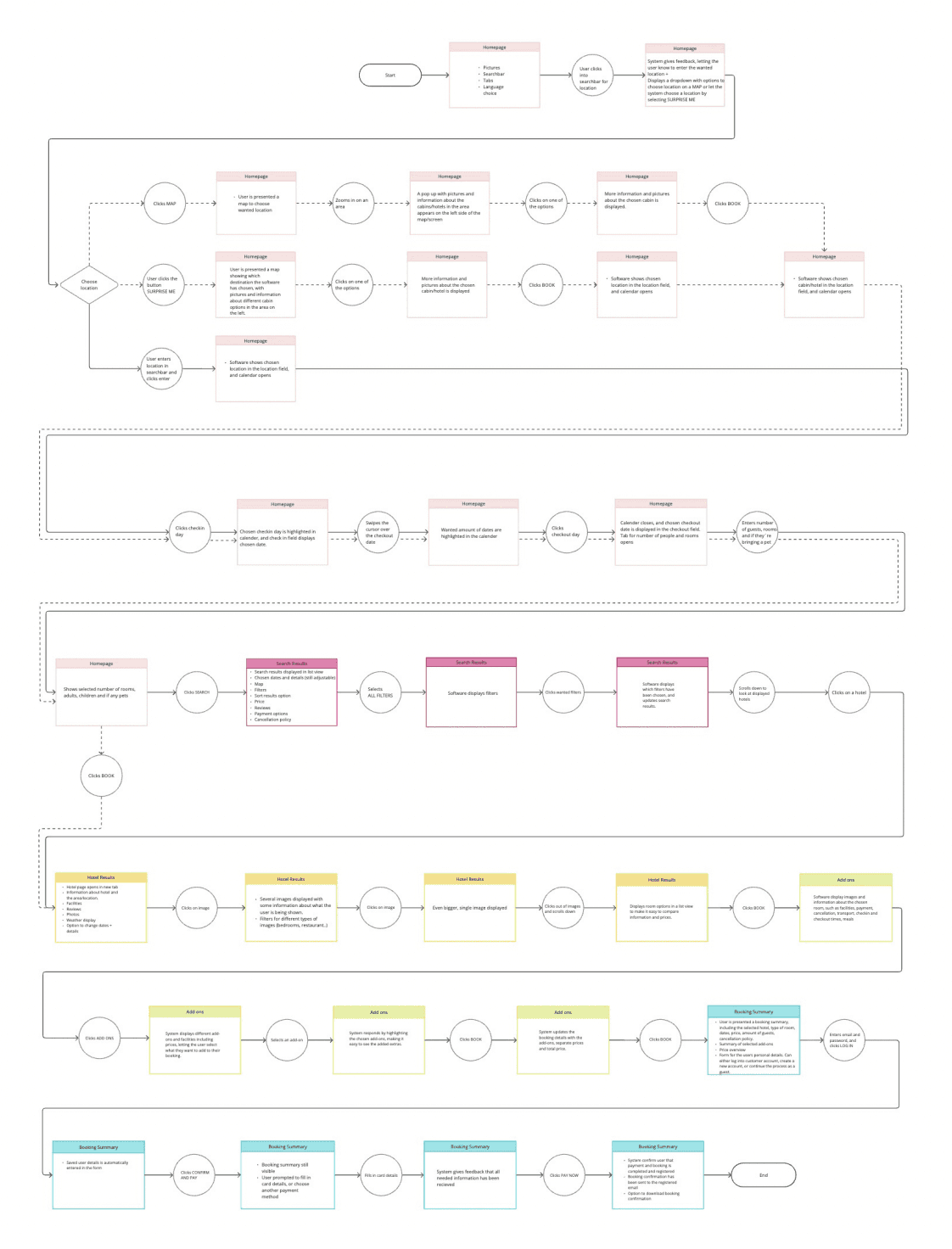
Structuring the experience
Ideating solutions to solve pain points and generating process flow
Design solution
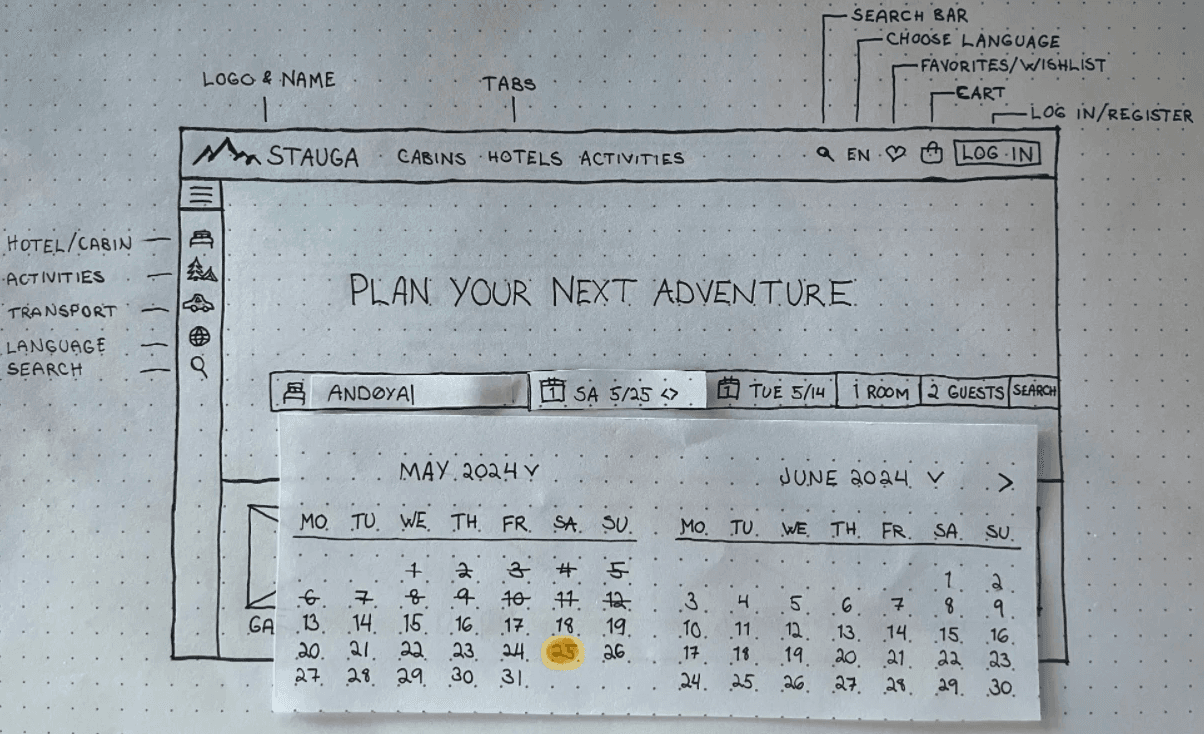
Wireframes
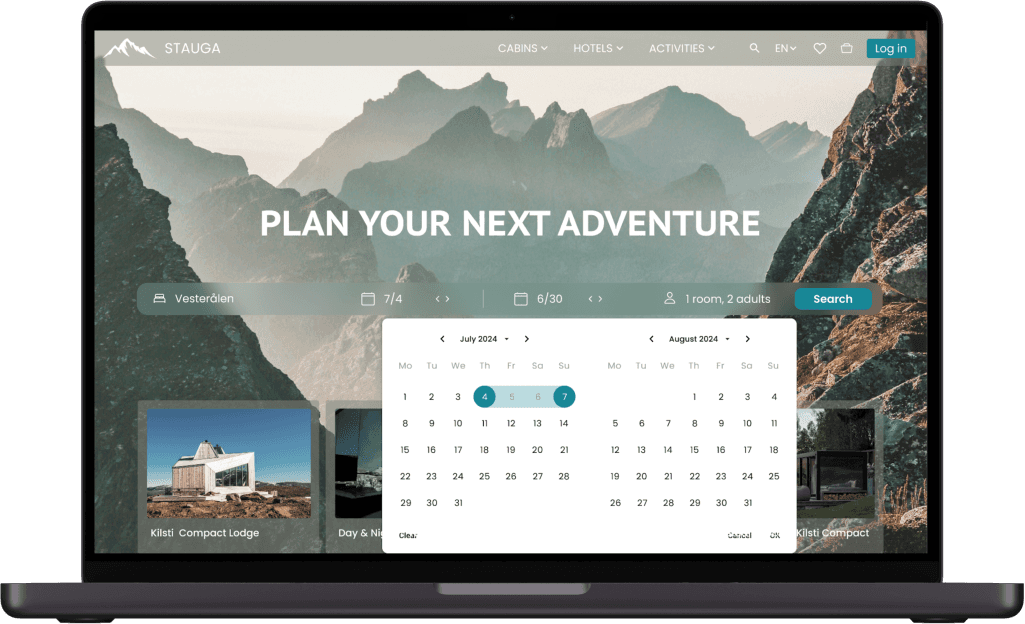
Based on the findings gathered using different research methods, Stauga is created to be a booking website that is easy to navigate, clear on it's feedback, and give a feeling of security.
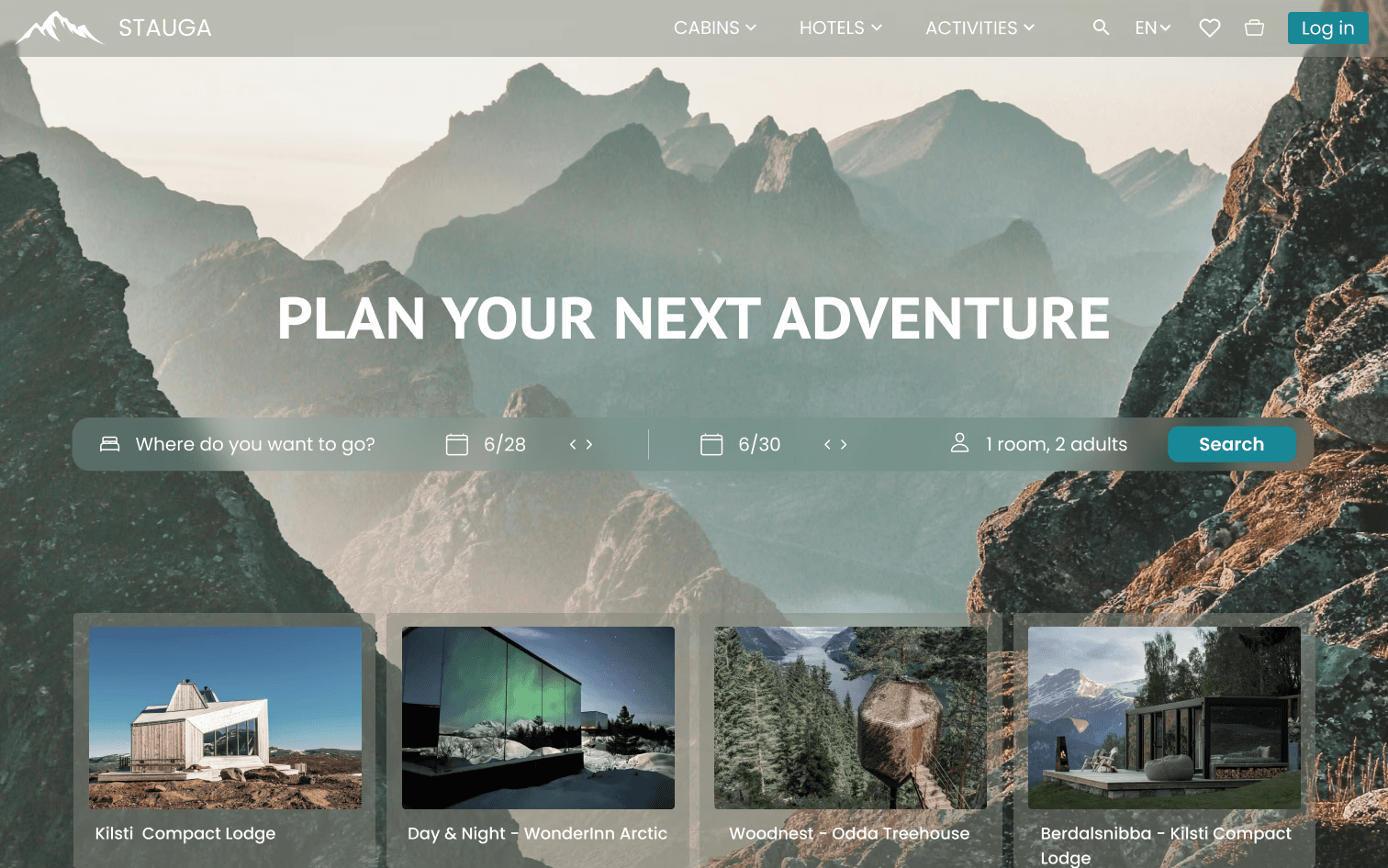
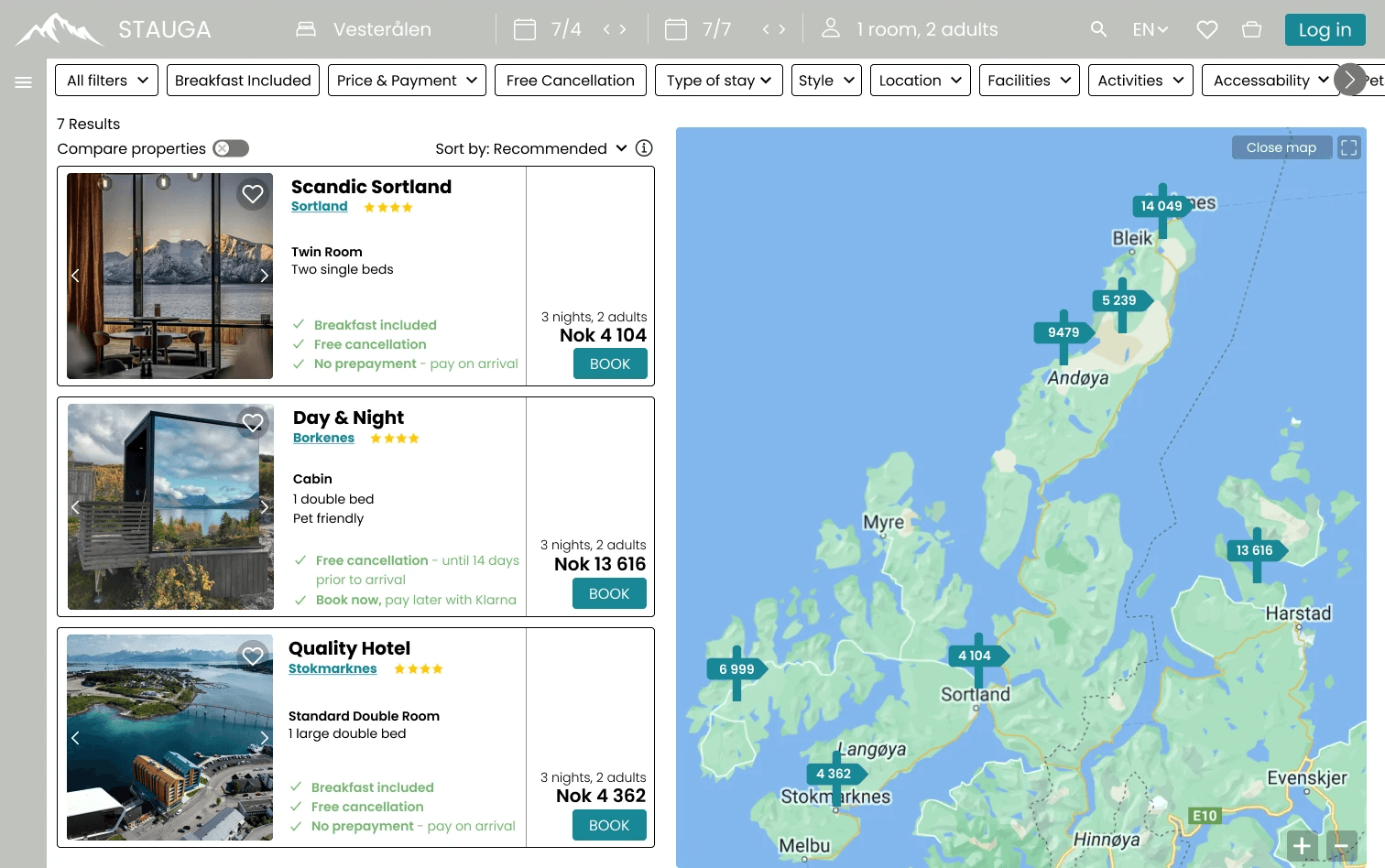
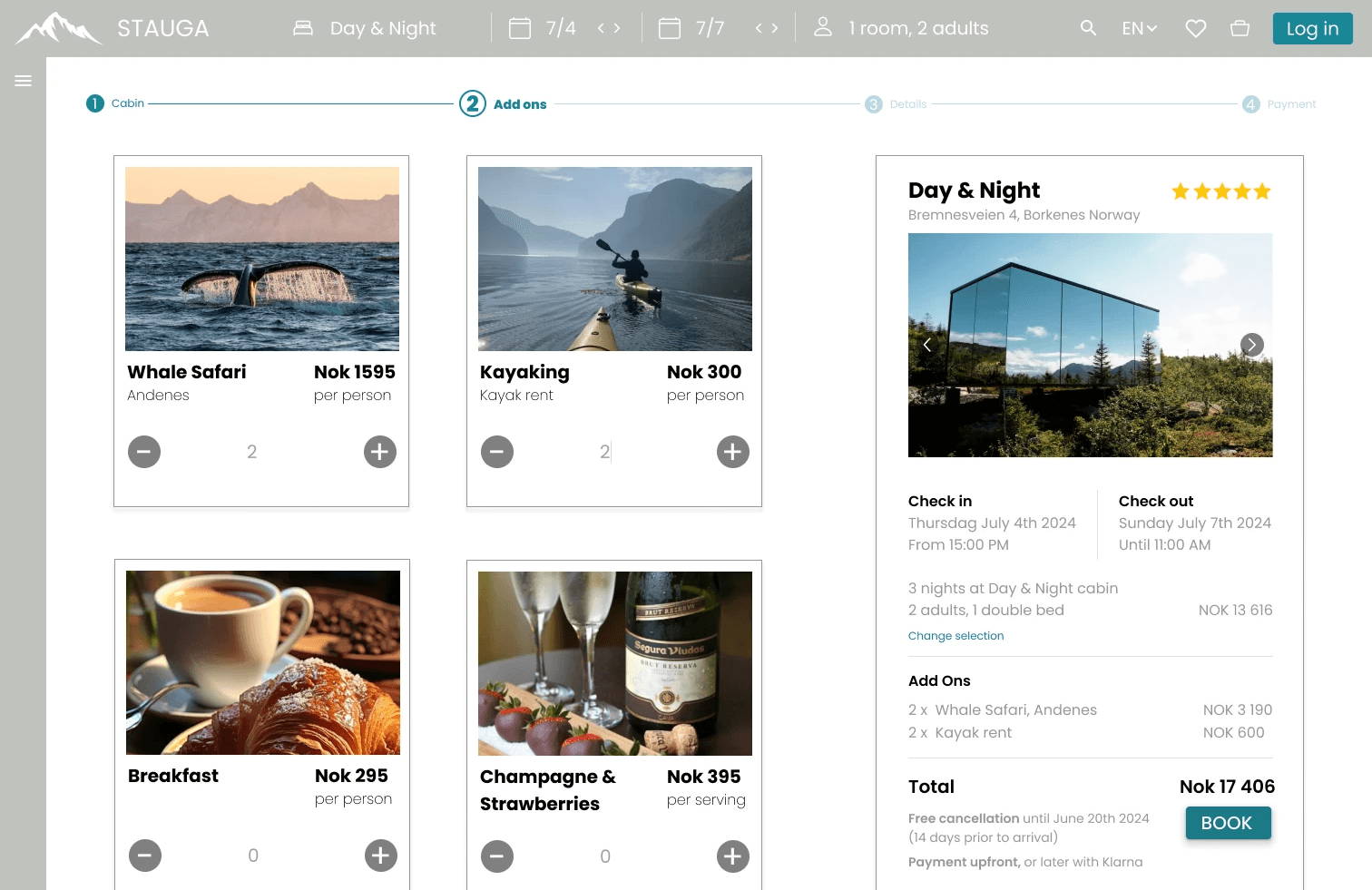
The issue of unnecessary interactions and time spending during the booking process was a common problem that I did not want to pass on to this new company.
The user can therefore do necessary changes in their booking information easily throughout the process in the horizontal navigation bar.
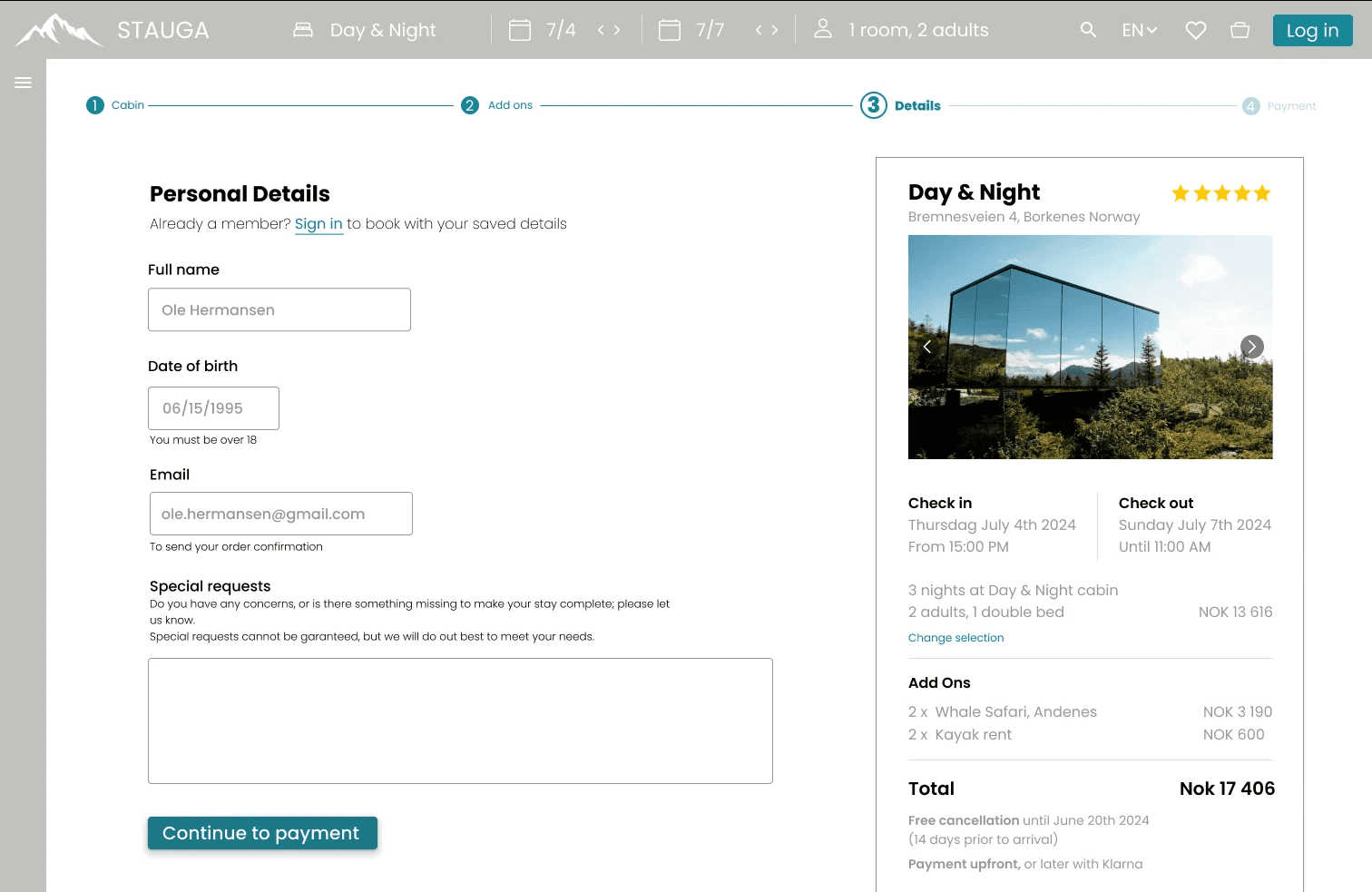
A long process with too many steps can make the user choose to end it, even when they are close to the final step.
Including a progress bar will give information to the user about where they are in the process, and how many steps they have left.
In addition to the progress bar, I have included some small encouragement messages to let the user know how they are doing.
Reflect & grow
What I learned
Throughout my time working on Stauga, I have learned the importance of gathering as much user feedback in the early phase of a project.
In this project, I started to gather user feedback a few weeks after I started the project, which provided strong first-hand evidence on design decision-making.
I also learned that user first does not mean user only, especially when innovating a full concept from scratch to execution.
This included not only thinking about the user´s needs but also the technical and business side of it.
The project redirected the thought process to include users, research and business goals.
What Next
The final design allows the user to easily walk through the booking process with a minimum of needed interactions, being informed how they are doing and what's left to complete.
To see if I could further improve the user flow and overall UX Design, I would ask more people in a raging age group to test do a usability test, seeing if it matches the mental model for people with various skills using technology.
Based on feedback from a user, I would also do more usability tests to see how users would interact with the filters on the hotel search page.
As I have included many filters horizontally with dropdowns, I would like to see if the users can easily find what they are looking for, if they are confusing, or if they won't be used at all.
The next step would be to work on the UI of the website.
As this project was focused on the UX Design only, UI was not a priority.
I chose to add some UI elements to get a somewhat complete website, but further work would have to be done.